Author name: DE IPTV

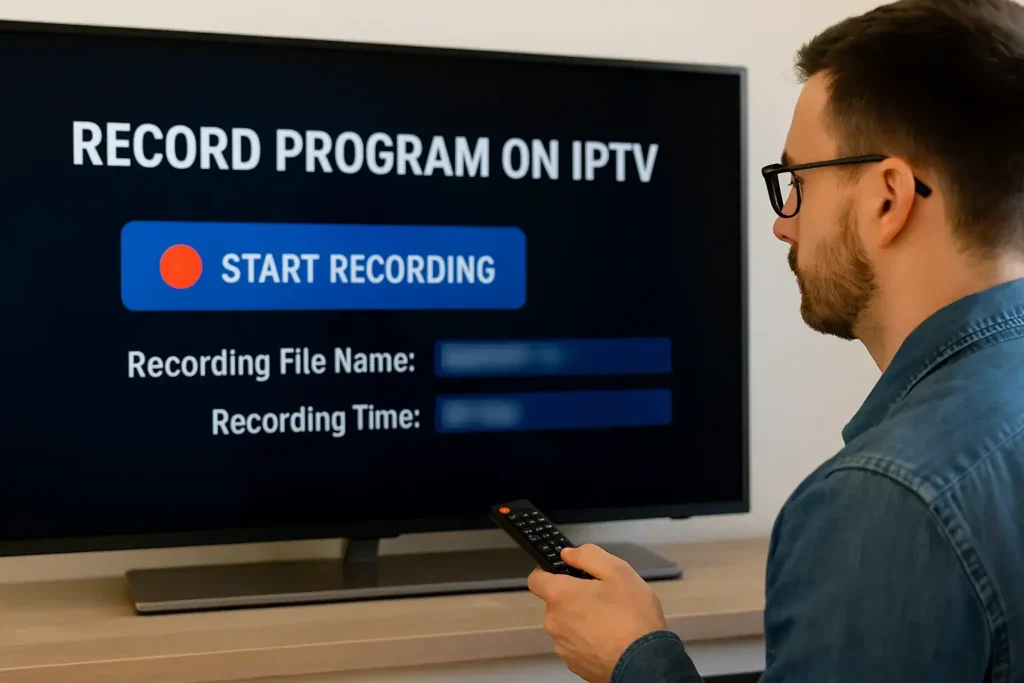
Recording live TV on IPTV with DVR feature
Uncategorised

Can I Record on IPTV? A Complete Guide with DEIPTV DVR Features

Yes, you can record IPTV content — but only if your IPTV provider supports recording. Many modern IPTV services offer built-in DVR (Digital Video Recorder) features that let you record live TV, pause and rewind, and schedule recordings directly from the Electronic Program Guide (EPG). Recording IPTV gives you the flexibility to watch your favorite shows anytime, without missing a single episode. In this guide, we’ll explain how recording works, what you need, and how to use DVR features with DEIPTV. If you’re new to IPTV, you may want to read this first:👉 What Is IPTV and How It Works 1. How to Record on IPTV (Step-by-Step) Step 1: Start Playing the Channel Begin by opening the live TV channel you want to record. Step 2: Press the Record Button Press the Record button on your remote or within the IPTV app interface. A “Recording” banner will appear, confirming that the recording has started. Step 3: Set Recording Details You can usually set: Then press Start Recording. Step 4: Access Your Recorded Files Go to your app dashboard or DVR menu and open the Recordings section. Your recorded content will be listed there. 2. Schedule Series Recording (Advanced) If you want to record every episode of a series, follow these steps: A confirmation banner will appear and you’ll see red dots indicating scheduled recordings. 3. Remote DVR Access (Optional) Some IPTV systems allow remote DVR control. If your device supports it: This feature lets you manage recordings remotely — delete old recordings, schedule new ones, and more. FAQ (Frequently Asked Questions) 1. How Much Storage Do I Need for IPTV Recording? Storage depends on the video format and quality.Expect approximately 2–8 GB per hour.For example, 100 hours of HD content may require 200–800 GB. 2. Can I Record Multiple Channels at the Same Time? Most IPTV systems do not support simultaneous recordings on one device.Recording multiple channels usually requires additional hardware or advanced software. 3. Does Recording Affect Streaming Quality? Yes. Recording uses extra bandwidth and may reduce streaming quality if your internet connection is not strong enough.You need enough bandwidth to handle both the live stream and the recording. 4. Can I Transfer Recorded Files to External Devices? Yes, if your device supports external storage (USB drive).Recorded formats like MP4 or TS affect compatibility.Check your device’s supported file system (FAT32, NTFS, etc.). 5. Do Recorded Files Expire? Recording retention depends on the provider.Some platforms may auto-delete files after a certain time or when storage is full.Most providers allow manual management, but policies vary. Want the Best IPTV Experience? If you want a reliable IPTV provider with high-quality streams, stable servers, and excellent customer support, check DEIPTV today. 👉 Explore DEIPTV Plans👉 Contact Us for Support You can also learn more about IPTV security and privacy here:👉 IPTV Security & Privacy in 2026

Step-by-step IPTV setup on Smart TV, Firestick, Android, and PC with DEIPTV
Uncategorised

How to Set Up IPTV Easily: A Complete Beginner’s Guide with DEIPTV

Setting up IPTV is easier than many people think. With the right provider, compatible devices, and a stable internet connection, you can enjoy live TV, movies, sports, and on-demand content from anywhere. This guide will walk you step by step through the IPTV setup process and help you get the best experience with DEIPTV. If you are new to IPTV, you may also want to read What Is IPTV and How It Works for a full introduction before continuing. 1. Choose a Reliable IPTV Provider The first and most important step is selecting a trustworthy IPTV provider. A good provider ensures smooth streaming, high image quality, and responsive customer support. When choosing an IPTV service, make sure it offers: DEIPTV is designed to meet all these criteria, offering a wide channel selection and reliable performance. You can explore available plans on the DEIPTV Pricing Page to find the subscription that suits your needs. For a deeper comparison, you can also check The Ultimate Guide to IPTV Providers. 2. Make Sure You Have the Right Device IPTV works on many modern devices, making it flexible and convenient. You can use DEIPTV on: For the best performance, ensure your device software is up to date. If you want to optimize your setup further, this guide may help:👉 Understanding the Perfect IPTV Set-Up 3. Install an IPTV Application A. Firestick or Android TV You can find a detailed walkthrough here:👉 How to Install IPTV Smarters Pro on Windows👉 How to Install IPTV on IBO Player B. PC or Smartphone 4. Enter Your IPTV Subscription Details Once the app is installed, you will need to log in using the details provided by your IPTV service. You may be asked to enter: After entering the correct details, the app will load your channel list automatically. 5. Enjoy Your IPTV Service After setup is complete, you can start watching: If you are interested in sports content, don’t miss:👉 Sports Streaming with IPTV in 2026 Frequently Asked Questions (FAQ) Is IPTV Legal? IPTV itself is legal, but legality depends on the provider. Always choose a service that respects content regulations and operates transparently. Learn more in IPTV Security & Privacy in 2026. How Is IPTV Different from Cable TV? Unlike traditional cable, IPTV uses the internet to deliver content, offering on-demand viewing, better flexibility, and multi-device access. Does IPTV Require a Subscription? Yes, most IPTV services operate on a subscription basis. You can compare options on the DEIPTV Pricing Page. Can I Use IPTV While Traveling? Yes, many IPTV services work internationally. If you face restrictions, using a VPN may help. How Can I Improve Streaming Quality? For advanced quality options, see:👉 HD, UHD, and 4K Streaming in IPTV Need Help or Support? If you have any issues or questions, the DEIPTV support team is ready to help. Visit the Contact Us Page or learn more about the service on the About Us Page.

Step-by-step guide to install IPTV on IBO Player app
Uncategorised

How to Install IPTV on IBO Player (Complete Guide 2026)

If you want a smooth and user-friendly IPTV experience on your Smart TV or Android device, IBO Player Pro is one of the best choices. It offers a clean interface, fast loading, and excellent compatibility with most IPTV services. In this guide, we’ll show you how to install and activate IBO Player on any device, add your IPTV subscription, and start streaming live TV, movies, and series. What Is IBO Player? IBO Player is a popular IPTV player designed to work with IPTV subscriptions via M3U playlists or Xtream Codes. It is widely used on Smart TVs, Android TV boxes, Firestick, and mobile devices. If you’re new to IPTV, you may want to read this helpful guide first:👉 What Is IPTV and How It Works – The Future of Digital Television with DEIPTVhttps://de-iptv.net/what-is-iptv/ Step-by-Step: How to Install IPTV on IBO Player 1. Download IBO Player on Your Device Smart TV (Samsung / LG) Android / Android TV iOS (iPhone / iPad) Firestick / Android Box 2. Launch the App and Save Your Credentials After installation, open IBO Player Pro and you will see your: These details are required for activation. 3. Activate Your Device To activate your IBO Player: Most users get a free trial (usually 7 days). After that, you can purchase an annual or lifetime license. 4. Add Your IPTV Playlist Inside the app settings, choose your preferred method: Option A: M3U URL Enter the M3U playlist link provided by your IPTV provider. Option B: Xtream Codes Enter: Then click Save. 5. Restart the App and Start Streaming After saving the settings: Now you can enjoy: Why Choose DEIPTV for Your IPTV Subscription? If you’re looking for a reliable IPTV provider that supports IBO Player and offers strong performance, DEIPTV is a trusted option. We provide: Check our plans here:👉 DEIPTV Pricinghttps://de-iptv.net/pricing/ Learn more about DEIPTV:👉 https://de-iptv.net/about-us/ Need help or have questions?👉 https://de-iptv.net/contact-us/ FAQ (Frequently Asked Questions) What is the best IBO Player for IPTV? IBO Player Pro is considered the best option due to its fast performance, clean interface, and excellent compatibility with most IPTV services. How do I set up an IPTV player? To set up an IPTV player, you need: For more tips, check our IPTV setup guide:👉 Understanding the Perfect IPTV Set-Up: Equipment and Process (2026)https://de-iptv.net/iptv-setup-guide/ What is IBO Player on a Smart TV? IBO Player is an IPTV application that allows you to stream live TV and VOD content on Smart TVs using M3U or Xtream Codes. Is IBO Player Pro any good? Yes. It is widely praised for: Related Articles You May Like To improve your IPTV experience, check these guides:

Uncategorised

How to Install IPTV Smarters Pro on Windows (2026 Guide)

Installing IPTV Smarters Pro on Windows is one of the easiest ways to enjoy live TV, movies, series, and on-demand content directly from your PC. This app is popular among IPTV users due to its user-friendly interface, smooth performance, and easy setup. In this guide, we will walk you through the installation and configuration steps so you can start streaming with DEIPTV quickly and safely. 📌 What You Need Before Installing Before you begin, make sure you have: If you still don’t have an IPTV subscription, you can check DEIPTV plans here:👉 DEIPTV Pricinghttps://de-iptv.net/pricing/ ✅ Step-by-Step: How to Install IPTV Smarters Pro on Windows Step 1: Download IPTV Smarters Pro for Windows Step 2: Install IPTV Smarters Pro on Windows Step 3: Open IPTV Smarters Pro Step 4: Add Your IPTV Subscription Once the app opens, you will be asked to enter your subscription details. You can log in using one of the following methods: Option 1: M3U URL Enter the M3U link provided by your IPTV provider. Option 2: Xtream Codes API Enter: Then click Add User or Connect to continue. Step 5: Start Streaming on Windows After logging in successfully, IPTV Smarters Pro will load your channels and VOD content. Now you can enjoy: 📌 Troubleshooting (Common Issues) Why is IPTV Smarters Pro not working on Windows? Here are the most common reasons: If the issue continues, contact your IPTV provider for support. ✅ FAQs (Frequently Asked Questions) Q1: Where can I find the M3U URL or Xtream Codes?Your IPTV provider sends them after subscription. Check your email or the customer portal. Q2: Can I add multiple IPTV subscriptions?Yes. You can add multiple M3U links or Xtream Codes inside the app. Q3: What devices support IPTV Smarters Pro?Besides Windows, it supports Android, iOS, Smart TVs, and more. Want a stable and reliable IPTV subscription? If you’re looking for a trusted IPTV service with strong performance, DEIPTV offers flexible plans and high-quality streaming.👉 Learn more about DEIPTVhttps://de-iptv.net/about-us/ Need help or have questions? Contact DEIPTV support:👉 https://de-iptv.net/contact-us/

Sports streaming with IPTV in 2026 on multiple devices
Uncategorised

Sports Streaming with IPTV in 2026: Watch Live Matches Anytime with DEIPTV

Sports streaming has completely changed how fans follow live matches and global tournaments. In 2026, IPTV has become one of the most reliable and flexible ways to watch sports, offering high-quality streams, worldwide access, and support for multiple devices. With DEIPTV, sports streaming is designed around stability and coverage—so fans can follow their favorite teams and competitions without the limitations of traditional television. Exploring the World of Sports Streaming Sports streaming allows fans to watch live matches, replays, and highlights instantly over the internet. From football and basketball to tennis, motorsports, and international tournaments, IPTV-based sports streaming ensures that no key moment is missed. Unlike traditional broadcasting, IPTV removes location and schedule restrictions. Matches can be watched on Smart TVs, smartphones, tablets, or computers—giving fans full freedom.To understand the technology behind this flexibility, you can explore how IPTV works here:👉 https://de-iptv.net/what-is-iptv/ How Sports Streaming Works with IPTV IPTV delivers sports content directly over internet networks rather than cable or satellite systems. This enables: Because of this flexibility and global reach, IPTV has become the preferred choice for serious sports fans worldwide. Why IPTV Stands Out for Sports Fans Many sports fans rely on separate streaming platforms that cover only specific leagues or regions. IPTV, on the other hand, brings multiple sports channels into one subscription, offering access to: This all-in-one approach makes IPTV both cost-effective and practical, especially for users who follow more than one sport. Choosing the Right Sports IPTV Service Not all IPTV services are suitable for live sports. When choosing a provider, sports fans should consider: DEIPTV focuses on stable servers and wide sports coverage, making it suitable for uninterrupted live streaming. Available plans can be reviewed directly on the pricing page:👉 https://de-iptv.net/pricing/ Benefits of Sports Streaming with IPTV Using IPTV for sports streaming offers clear advantages: For fans who want everything in one place, IPTV provides an efficient and scalable solution. Common Sports Streaming Challenges (and How IPTV Reduces Them) Sports streaming can face issues such as buffering, regional restrictions, or limited coverage. Professional IPTV providers reduce these problems through optimized servers and balanced network infrastructure. Choosing a reliable provider is essential for smooth sports streaming—especially during major live events. Tips for the Best Sports Streaming Experience To get the most out of IPTV sports streaming: These steps significantly improve stream quality and reliability. Legal and Piracy Considerations Illegal sports streaming platforms expose users to malware, poor stream quality, and potential legal risks. Legitimate IPTV services focus on legal content delivery, stable performance, and user security. For a deeper explanation of legal IPTV practices, this IPTV legality guide for 2026 is recommended:👉 https://de-iptv.net/deiptv-legal-iptv-streaming-guide-2026/ The Future of Sports Streaming with IPTV Sports streaming continues to evolve. Upcoming trends include: IPTV will remain a core technology shaping how fans experience live sports worldwide. Global Access to Sports with IPTV One of IPTV’s strongest advantages is removing geographical barriers. Fans can follow international leagues and competitions without regional limitations—making IPTV ideal for global sports audiences. Conclusion Sports streaming with IPTV offers unmatched flexibility, access, and convenience. With global coverage, live matches, and multi-device support, DEIPTV delivers a complete sports streaming solution for fans who don’t want to miss a moment. For help choosing the right plan or device, users can reach the team through the contact page:👉 https://de-iptv.net/contact-us/ FAQs Is sports streaming legal with IPTV?Yes, when using a legitimate IPTV provider like DEIPTV. Can I watch live matches on IPTV?Yes. IPTV provides live sports channels and events. Are free sports streaming services safe?No. Free services often involve piracy and security risks. What devices support IPTV sports streaming?Smart TVs, Android boxes, smartphones, tablets, PCs, and streaming devices.

IPTV security and privacy with encrypted streaming in 2026
Uncategorised

IPTV Security & Privacy in 2026: How DEIPTV Ensures Safe Streaming

As IPTV continues to shape the future of digital entertainment, security and privacy have become essential—not optional. In 2026, users expect more than high-quality streaming; they demand full protection of their personal data and viewing activity. With DEIPTV, security is integrated into every layer of the service, ensuring safe, stable, and uninterrupted IPTV streaming for users across all supported devices. Understanding IPTV Technology and Security IPTV (Internet Protocol Television) delivers TV content over internet connections instead of traditional cable or satellite systems. This allows access to live TV, video-on-demand (VOD), and time-shifted content across multiple platforms. However, because IPTV operates over IP networks, data transmission must be properly secured. Without encryption and authentication, streams may be intercepted, accounts compromised, or user data exposed. This is why professional IPTV platforms like DEIPTV invest heavily in secure infrastructure and privacy-focused technologies.You can learn more about the fundamentals of IPTV technology in this detailed guide on how IPTV works:👉 https://de-iptv.net/what-is-iptv/ Common Security Threats in IPTV Modern IPTV services face several well-known security risks, including: Using unreliable or free IPTV services significantly increases these risks. In contrast, legitimate providers focus on prevention, monitoring, and compliance to protect users. Key Components of IPTV Security A secure IPTV platform relies on multiple protection layers working together: 🔐 Encryption All IPTV streams are encrypted to prevent interception and unauthorized viewing. 👤 Secure Authentication Only verified users can access subscriptions, reducing abuse and account compromise. 🛡 Network Protection Firewalls, intrusion detection systems, and traffic monitoring protect servers from attacks. 📜 Digital Rights Management (DRM) DRM ensures content is accessed legally and prevents redistribution. DEIPTV integrates all these components to deliver secure IPTV streaming across Smart TVs, Android devices, MAG boxes, and more. For users interested in compatible devices and setup, this IPTV setup guide explains everything clearly:👉 https://de-iptv.net/iptv-setup-guide/ Encryption in IPTV Streaming Encryption is the foundation of IPTV security. Modern standards such as AES encryption ensure that streaming data remains unreadable to third parties. Encrypted communication between servers and user devices allows subscribers to enjoy content confidently, without privacy concerns. This level of protection is standard across DEIPTV’s infrastructure, making it suitable for users who value both performance and privacy. Protecting Network Infrastructure A secure IPTV service requires constant monitoring and optimization. This includes: DEIPTV uses optimized server infrastructure to maintain stable streaming even during peak usage times. Users can explore service plans designed for secure and stable performance on the pricing page:👉 https://de-iptv.net/pricing/ Preventing IPTV Piracy IPTV piracy harms users, providers, and content creators. Trusted IPTV services actively prevent piracy by: Choosing a legitimate IPTV provider like DEIPTV not only improves streaming quality but also protects users from legal and security risks. This topic is explored further in the legal IPTV streaming guide for 2026:👉 https://de-iptv.net/deiptv-legal-iptv-streaming-guide-2026/ Data Privacy in IPTV Services User privacy is a critical pillar of IPTV security. Reliable providers collect only essential information and protect it under strict data protection standards. DEIPTV follows modern privacy practices to ensure user data is handled responsibly and securely. For questions related to privacy, subscriptions, or technical concerns, users can easily reach the support team through the contact page Challenges in IPTV Security Balancing strong security with smooth user experience remains a challenge. Excessive security can affect usability, while weak protection exposes users to threats. Professional IPTV providers continuously adapt their systems to evolving cyber risks while keeping the service simple and accessible. Future Trends in IPTV Security The future of IPTV security is driven by innovation, including: These technologies will further strengthen IPTV platforms and user privacy in the coming years. Conclusion Security is no longer optional in IPTV—it is essential. With encrypted streaming, secure authentication, and protected infrastructure, DEIPTV delivers a safe and reliable entertainment experience. By choosing a trusted IPTV provider, users can enjoy premium content without compromising privacy or security—today and in the future. FAQs Is IPTV secure in 2026?Yes, when using a professional and encrypted IPTV provider like DEIPTV. Should I avoid free IPTV services?Yes. Free IPTV services often lack security and may expose users to malware and data theft. How can I protect my IPTV account?Use strong passwords, avoid sharing credentials, and subscribe only to trusted IPTV providers.

Multiroom IPTV setup for modern homes in 2026
Uncategorised

Multiroom IPTV: A Complete Educational Guide for Modern Homes in 2026

As home entertainment continues to evolve, Multiroom IPTV has become one of the most practical solutions for modern households. Instead of limiting television viewing to a single screen, this technology allows families to enjoy live TV, movies, and on-demand content across multiple rooms using one IPTV subscription. With advanced IPTV platforms like DEIPTV, multi-device streaming is no longer complicated—it’s seamless, flexible, and designed for everyday home use. What Is Multiroom IPTV? Multiroom IPTV is an internet-based television system that allows one subscription to be used across several devices within the same household. Unlike traditional cable or satellite services, IPTV relies on your internet connection, offering greater freedom, wider content access, and device flexibility. With Multiroom IPTV, different family members can watch different channels at the same time, or continue watching a movie on another device without losing progress. This flexibility is part of what makes IPTV the future of television, as explained in this complete overview of how IPTV works:👉 https://de-iptv.net/what-is-iptv/ Key Benefits of Multiroom IPTV One of the biggest advantages of Multiroom IPTV is cost efficiency. Instead of paying for multiple cable boxes or separate subscriptions, one IPTV plan can support several devices at once—ideal for families and shared homes. Another major benefit is convenience. Multiroom IPTV enables smooth switching between devices, access to on-demand libraries, and consistent streaming quality throughout the home. Providers like DEIPTV optimize their servers to ensure stable performance even when multiple screens are active simultaneously.You can explore flexible subscription options that support multiroom usage on the DEIPTV pricing page:👉 https://de-iptv.net/pricing/ How to Set Up Multiroom IPTV Setting up Multiroom IPTV is straightforward when using a reliable service. First, choose an IPTV provider that officially supports multiple devices. After subscribing, install the IPTV app on your preferred devices such as Smart TVs, Android boxes, or mobile phones. DEIPTV provides clear setup guidance and compatibility across platforms. For users who want a deeper technical explanation, this IPTV setup guide for 2026 walks through equipment and configuration in detail:👉 https://de-iptv.net/iptv-setup-guide/ Device Compatibility Explained Multiroom IPTV works across a wide range of devices, making it suitable for almost any home environment. Commonly supported devices include: As long as your devices are connected to a stable internet connection, Multiroom IPTV delivers smooth and synchronized streaming across all screens. Choosing the Right IPTV Provider Not all IPTV services are optimized for multiroom streaming. A dependable provider should offer stable servers, high-quality streams, support for multiple connections, and responsive customer support. DEIPTV is designed with these requirements in mind, offering reliable performance for households that stream on several devices at the same time. If you want to understand what separates strong IPTV providers from unreliable ones, this guide explains it clearly:👉 https://de-iptv.net/the-ultimate-guide-to-iptv-providers-why-deiptv-is-your-best-choice/ Personalization and Parental Controls Modern IPTV platforms often include personalized user profiles, allowing each household member to maintain separate watchlists and receive tailored recommendations. This improves user experience and avoids content overlap. Parental controls are another important feature, enabling parents to restrict access to certain content on specific devices. This creates a safe and controlled environment for children while preserving flexibility for adults. Important Considerations A stable and fast internet connection is essential for Multiroom IPTV. Streaming on multiple devices—especially in HD or 4K—requires sufficient bandwidth. Wired Ethernet connections often provide more reliability than Wi-Fi. Keeping IPTV apps and devices updated also ensures compatibility, security, and optimal performance. The Future of Multiroom IPTV With the expansion of high-speed internet, Wi-Fi 6, and 5G networks, Multiroom IPTV is expected to become even more reliable and widely adopted. Future integrations with smart home systems will further enhance convenience and automation. As digital entertainment becomes increasingly personalized, Multiroom IPTV will remain a central part of modern home lifestyles. Conclusion Multiroom IPTV offers a practical, future-ready solution for home entertainment. It allows families to enjoy content across multiple devices without complexity or additional subscriptions. By choosing a reliable service like DEIPTV, users benefit from stable streaming, flexible plans, and professional support—making Multiroom IPTV an excellent choice for today’s connected homes.For questions or personalized assistance, you can always reach the DEIPTV team via the contact page:👉 https://de-iptv.net/contact-us/

Time-shifted TV and catch-up services in 2026
Uncategorised

Time-Shifted TV & Catch-Up Services: Watch Television on Your Schedule in 2026

Television has finally adapted to modern lifestyles. In 2026, viewers no longer plan their day around TV schedules—instead, TV adapts to them. Thanks to Time-Shifted TV and Catch-Up services, watching your favorite content is now completely flexible. With advanced IPTV solutions like DEIPTV, missing a live broadcast is no longer an issue. Whether it’s a football match, a TV series episode, or a documentary, you stay in control of when and how you watch. What Is Time-Shifted TV? Time-Shifted TV allows users to watch programs after they have already aired, without needing to record them manually. Key features include: These features are fully integrated into modern IPTV platforms like DEIPTV, offering smooth navigation across Smart TVs, Android devices, and streaming boxes.To better understand how IPTV works overall, you can explore this guide:👉 https://de-iptv.net/what-is-iptv/ How Time-Shifted TV Works Time-Shifted TV is powered by cloud servers and IPTV streaming technology. Instead of saving content locally, programs are stored securely online and streamed on demand. This allows users to: A well-configured IPTV setup is essential for the best experience. This detailed setup guide explains everything you need:👉 https://de-iptv.net/iptv-setup-guide/ Key Benefits of Time-Shifted & Catch-Up TV Time-Shifted TV offers practical advantages that traditional broadcasting simply cannot match: These benefits are a major reason why premium IPTV services like DEIPTV prioritize advanced catch-up and replay features.You can view available plans here Challenges to Consider Despite its advantages, Time-Shifted TV has some limitations: Choosing a reliable and transparent IPTV provider significantly reduces these issues. DEIPTV focuses on legal streaming practices and service stability, as explained here:👉 https://de-iptv.net/deiptv-legal-iptv-streaming-guide-2026/ Time-Shifted TV vs Traditional Broadcasting Traditional TV relies on fixed schedules, while Time-Shifted TV focuses on viewer freedom. This shift has forced broadcasters to adopt IPTV-style solutions to remain competitive. IPTV represents the natural evolution of television, as explained in this article:👉 https://de-iptv.net/evolution-of-iptv/ Personalization & User Experience Modern IPTV platforms use smart systems to enhance user experience through: DEIPTV applies personalization carefully—enhancing usability without overwhelming users. The Future of Time-Shifted TV As IPTV technology continues to evolve, Time-Shifted TV will become even more advanced through: In 2026, Time-Shifted TV is no longer a luxury—it’s an expectation. Conclusion Time-Shifted TV and Catch-Up services define the future of television. They provide freedom, control, and convenience that traditional broadcasting cannot offer. With DEIPTV, viewers gain access to flexible, modern IPTV features designed around real user needs—allowing them to watch television anytime, anywhere, and on their own terms. If you have questions or need help choosing the right plan, feel free to contact the DEIPTV team:👉 https://de-iptv.net/contact-us/

Understanding the Perfect IPTV Set-Up Equipment and Process (2026)
Uncategorised

Understanding the Perfect IPTV Set-Up: Equipment and Process (2026)

Setting up IPTV for the first time can feel overwhelming, especially if you are new to this technology. At DEIPTV, we believe that a proper IPTV setup should be simple, reliable, and accessible to everyone. This guide explains everything you need to know about IPTV set-up, including the required equipment, configuration process, troubleshooting tips, and future trends. Whether you are a beginner or an experienced user, this guide will help you build a stable IPTV system and enjoy high-quality streaming with confidence. Table of Contents IPTV Set-Up: Getting Started An IPTV set-up refers to the process of preparing and configuring the equipment and software needed to stream television content over the internet. Unlike traditional cable or satellite TV, IPTV relies entirely on an internet connection to deliver live channels, movies, and on-demand content. Before starting, make sure you have: Understanding these basics ensures a smooth and successful IPTV setup. Choosing the Right IPTV Service Provider Selecting the right IPTV provider is the foundation of a good IPTV experience. A reliable provider like DEIPTV offers: Always research user reviews, content availability, uptime reliability, and support quality before choosing an IPTV service. Required Equipment for IPTV To complete your IPTV set-up, you will need: Using wired internet instead of Wi-Fi significantly improves streaming performance. Setting Up Your IPTV System Follow these steps for a smooth IPTV installation: Once completed, your IPTV system is ready to use. Configuring Your IPTV Service Proper configuration enhances performance and comfort. Adjust the following settings: Testing different configurations helps you find the best balance between quality and stability. Troubleshooting Common IPTV Issues If you experience issues, try these solutions: Most issues are temporary and can be fixed quickly with basic troubleshooting. Ensuring Security and Privacy Security is essential when streaming online. To protect your IPTV setup: These steps help protect your data and ensure safe streaming. Exploring Advanced IPTV Features Modern IPTV systems offer powerful features, including: These features allow you to customize your viewing experience fully. Getting the Most Out of Your IPTV Experience To maximize your IPTV performance: A well-optimized IPTV setup delivers a premium entertainment experience. Legal Considerations Always ensure you are using IPTV services responsibly. Avoid illegal or pirated content and comply with local laws. DEIPTV focuses on reliability and user responsibility, and users should always respect content rights and provider terms. Future Trends in IPTV Technology IPTV continues to evolve with innovations such as: These advancements will make IPTV even more immersive and user-friendly. Conclusion A proper IPTV set-up is the key to enjoying smooth, high-quality streaming. With the right equipment, a reliable provider like DEIPTV, and correct configuration, IPTV becomes a powerful and flexible entertainment solution. As technology advances, IPTV will continue to redefine how we watch television. FAQs 1. What is an IPTV setup?It is the process of configuring devices, apps, and internet access to stream IPTV content. 2. What equipment do I need for IPTV?A compatible device, stable internet connection, IPTV app, and subscription credentials. 3. How do I choose the right IPTV provider?Look for reliability, streaming quality, content variety, and customer support. 4. What are common IPTV setup issues?Buffering, login errors, app crashes, and network instability. 5. How can I improve IPTV security?Use strong passwords, trusted providers, secure payments, and optionally a VPN.

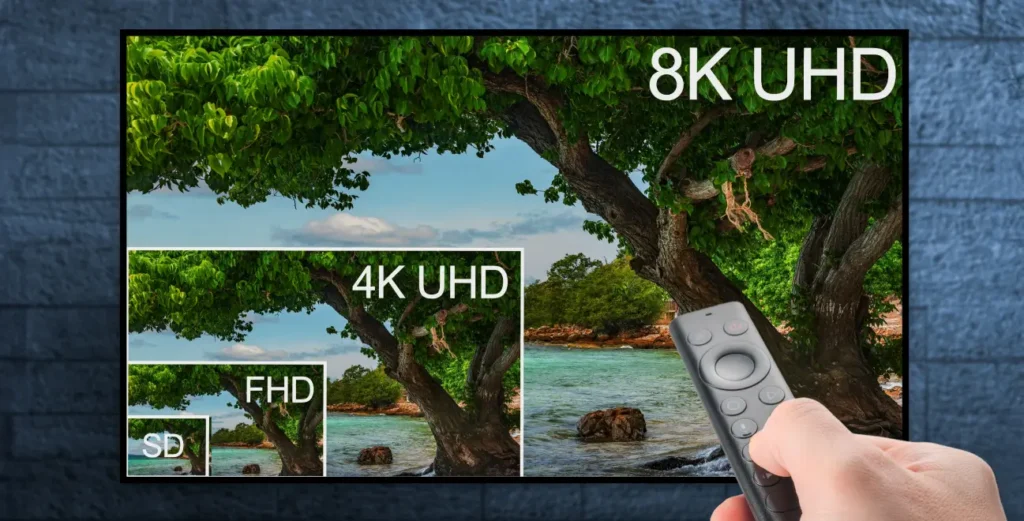
TV screen showing 4K and 8K streaming options on IPTV
Uncategorised

HD, UHD, and 4K Streaming: Quality Options in IPTV

For viewers seeking the best entertainment experience, streaming quality is crucial. DEIPTV offers a range of HD, UHD, and 4K streaming options, ensuring you enjoy crystal-clear visuals, smooth playback, and immersive sound. In this guide, we explore how to choose the right quality options, optimize your setup, and get the most out of IPTV. Table of Contents Understanding Quality Options in IPTV IPTV (Internet Protocol Television) delivers content over the internet, providing more flexibility than traditional cable or satellite TV. With DEIPTV, viewers can access HD (High Definition), UHD (Ultra High Definition), and 4K streaming, allowing a personalized and immersive viewing experience. These quality options are essential for: High-quality IPTV ensures uninterrupted playback, multi-device support, and legal, licensed content, creating peace of mind alongside entertainment. Factors to Consider When Choosing IPTV When selecting an IPTV service, consider: User Interface and Experience A well-designed UI/UX improves interaction with IPTV. DEIPTV provides: Good interface design enhances engagement and makes streaming enjoyable. Device Compatibility DEIPTV works across a wide range of devices: High-quality streaming is ensured regardless of device or screen size. Customer Support and Service Reliable customer support is essential. DEIPTV offers: This ensures smooth and uninterrupted viewing experiences. Pricing Structure Understanding pricing is crucial. DEIPTV provides: Fair pricing ensures access to top-quality content without overspending. Top IPTV Providers Choosing a quality IPTV provider impacts your viewing experience. DEIPTV stands out for: Tips to Optimize Your IPTV Experience Maximize your streaming enjoyment by: Following these steps ensures smooth playback and an immersive viewing experience. Conclusion Quality options in IPTV—HD, UHD, and 4K—are vital for an outstanding streaming experience. With DEIPTV, viewers get high-quality visuals, seamless multi-device compatibility, responsive support, and a wide range of content. By prioritizing quality, your IPTV setup becomes more enjoyable, reliable, and personalized. FAQ Q1: What are Quality Options in IPTV?These include content quality, device compatibility, interface usability, streaming reliability, customer support, and pricing transparency. Q2: How do I determine the quality of an IPTV service?Evaluate streaming reliability, content variety, UI/UX, device support, and provider reputation. Q3: Are there legal considerations when using IPTV services?Yes. Always use licensed services like DEIPTV to comply with copyright laws. Q4: How can I optimize my IPTV experience?Use a stable internet connection, update apps and firmware, adjust video settings, and explore features like DVR and catch-up TV. Q5: What should I do if I encounter technical issues?Contact DEIPTV customer support via live chat, email, or phone, and refer to online troubleshooting resources.

Scroll to Top