
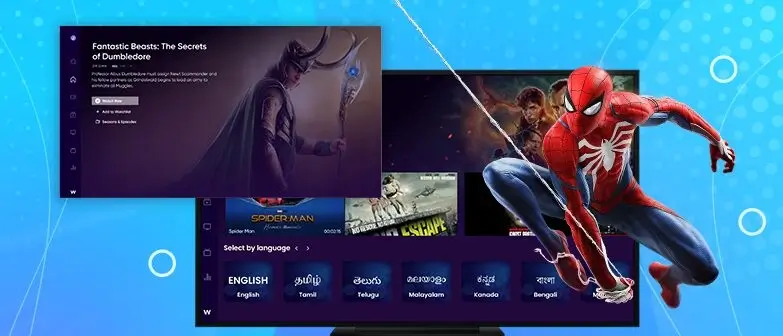
Setting up IPTV for the first time can feel overwhelming, especially if you are new to this technology. At DEIPTV, we believe that a proper IPTV setup should be simple, reliable, and accessible to everyone. This guide explains everything you need to know about IPTV set-up, including the required equipment, configuration process, troubleshooting tips, and future trends.
Whether you are a beginner or an experienced user, this guide will help you build a stable IPTV system and enjoy high-quality streaming with confidence.
Table of Contents
- IPTV Set-Up: Getting Started
- Choosing the Right IPTV Service Provider
- Required Equipment for IPTV
- Setting Up Your IPTV System
- Configuring Your IPTV Service
- Troubleshooting Common IPTV Issues
- Ensuring Security and Privacy
- Exploring Advanced IPTV Features
- Getting the Most Out of Your IPTV Experience
- Legal Considerations
- Future Trends in IPTV Technology
- Conclusion
- FAQs
IPTV Set-Up: Getting Started
An IPTV set-up refers to the process of preparing and configuring the equipment and software needed to stream television content over the internet. Unlike traditional cable or satellite TV, IPTV relies entirely on an internet connection to deliver live channels, movies, and on-demand content.
Before starting, make sure you have:
- A compatible device (Smart TV, Android box, PC, smartphone, or NVIDIA Shield)
- A stable internet connection
- An IPTV application
- Your DEIPTV subscription credentials
Understanding these basics ensures a smooth and successful IPTV setup.
Choosing the Right IPTV Service Provider
Selecting the right IPTV provider is the foundation of a good IPTV experience. A reliable provider like DEIPTV offers:
- Stable servers with minimal buffering
- High-quality HD, UHD, and 4K streams
- Wide channel and VOD libraries
- Responsive customer support
Always research user reviews, content availability, uptime reliability, and support quality before choosing an IPTV service.
Required Equipment for IPTV
To complete your IPTV set-up, you will need:
- Device: Smart TV, Android TV box, Amazon Fire TV, NVIDIA Shield, smartphone, tablet, or PC
- Internet Connection:
- HD streaming: minimum 5 Mbps
- UHD/4K streaming: 25 Mbps or higher
- IPTV App: IPTV Smarters, TiviMate, VLC, or similar
- Optional: Ethernet cable (recommended for stability)
Using wired internet instead of Wi-Fi significantly improves streaming performance.
Setting Up Your IPTV System
Follow these steps for a smooth IPTV installation:
- Connect your device to the internet
- Install an IPTV application from the app store or via APK
- Open the app and select login via Xtream Codes API or M3U URL
- Enter your DEIPTV credentials
- Allow the app to load channels and VOD content
Once completed, your IPTV system is ready to use.
Configuring Your IPTV Service
Proper configuration enhances performance and comfort. Adjust the following settings:
- Video resolution (Auto / HD / 4K)
- Buffer size for smoother playback
- Audio language and subtitle preferences
- EPG (Electronic Program Guide) sync
Testing different configurations helps you find the best balance between quality and stability.
Troubleshooting Common IPTV Issues
If you experience issues, try these solutions:
- Buffering: Check internet speed, restart router, reduce video quality
- Channels not loading: Restart the IPTV app or refresh playlist
- App crashes: Update the app or reinstall it
- Login errors: Verify your DEIPTV credentials
Most issues are temporary and can be fixed quickly with basic troubleshooting.
Ensuring Security and Privacy
Security is essential when streaming online. To protect your IPTV setup:
- Use a trusted IPTV provider like DEIPTV
- Avoid sharing account details
- Use a VPN if privacy is a concern
- Make payments only through secure methods
These steps help protect your data and ensure safe streaming.
Exploring Advanced IPTV Features
Modern IPTV systems offer powerful features, including:
- Video on Demand (VOD)
- Catch-Up TV
- Multi-screen viewing
- Electronic Program Guide (EPG)
- Favorites and playlists
These features allow you to customize your viewing experience fully.
Getting the Most Out of Your IPTV Experience
To maximize your IPTV performance:
- Use Ethernet instead of Wi-Fi
- Keep your IPTV app updated
- Organize favorite channels
- Explore VOD and catch-up content
A well-optimized IPTV setup delivers a premium entertainment experience.
Legal Considerations
Always ensure you are using IPTV services responsibly. Avoid illegal or pirated content and comply with local laws. DEIPTV focuses on reliability and user responsibility, and users should always respect content rights and provider terms.
Future Trends in IPTV Technology
IPTV continues to evolve with innovations such as:
- 4K and 8K streaming
- AI-based content recommendations
- Cloud DVR services
- Smart home integration
- AR and VR viewing experiences
These advancements will make IPTV even more immersive and user-friendly.
Conclusion
A proper IPTV set-up is the key to enjoying smooth, high-quality streaming. With the right equipment, a reliable provider like DEIPTV, and correct configuration, IPTV becomes a powerful and flexible entertainment solution. As technology advances, IPTV will continue to redefine how we watch television.
FAQs
1. What is an IPTV setup?
It is the process of configuring devices, apps, and internet access to stream IPTV content.
2. What equipment do I need for IPTV?
A compatible device, stable internet connection, IPTV app, and subscription credentials.
3. How do I choose the right IPTV provider?
Look for reliability, streaming quality, content variety, and customer support.
4. What are common IPTV setup issues?
Buffering, login errors, app crashes, and network instability.
5. How can I improve IPTV security?
Use strong passwords, trusted providers, secure payments, and optionally a VPN.