IPTV Guide

Recording live TV on IPTV with DVR feature
Uncategorised

Can I Record on IPTV? A Complete Guide with DEIPTV DVR Features

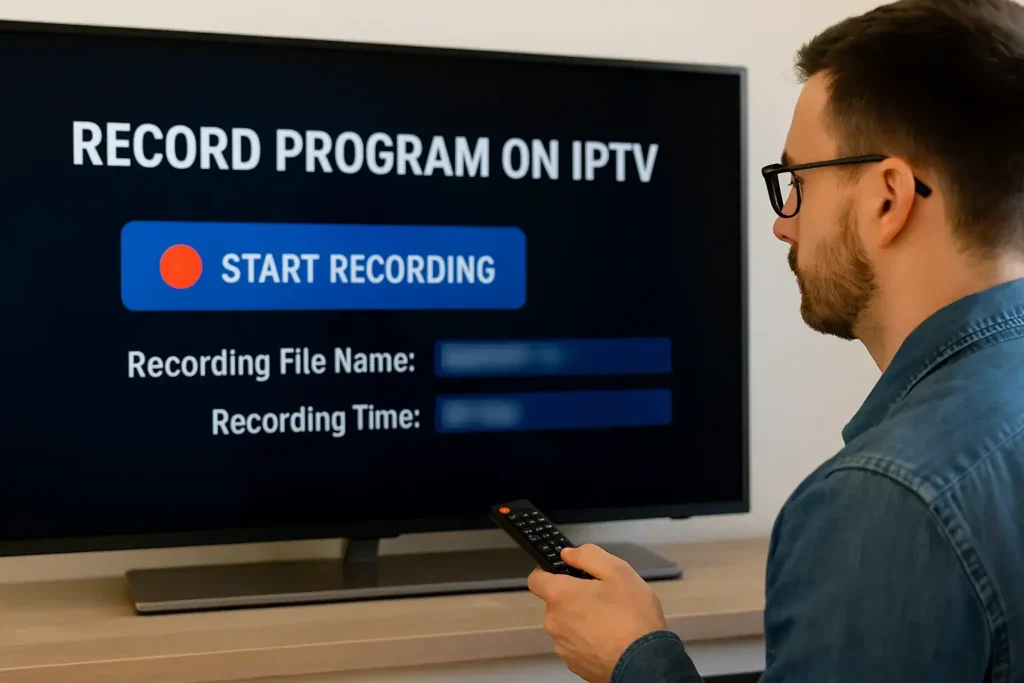
Yes, you can record IPTV content — but only if your IPTV provider supports recording. Many modern IPTV services offer built-in DVR (Digital Video Recorder) features that let you record live TV, pause and rewind, and schedule recordings directly from the Electronic Program Guide (EPG). Recording IPTV gives you the flexibility to watch your favorite shows anytime, without missing a single episode. In this guide, we’ll explain how recording works, what you need, and how to use DVR features with DEIPTV. If you’re new to IPTV, you may want to read this first:👉 What Is IPTV and How It Works 1. How to Record on IPTV (Step-by-Step) Step 1: Start Playing the Channel Begin by opening the live TV channel you want to record. Step 2: Press the Record Button Press the Record button on your remote or within the IPTV app interface. A “Recording” banner will appear, confirming that the recording has started. Step 3: Set Recording Details You can usually set: Then press Start Recording. Step 4: Access Your Recorded Files Go to your app dashboard or DVR menu and open the Recordings section. Your recorded content will be listed there. 2. Schedule Series Recording (Advanced) If you want to record every episode of a series, follow these steps: A confirmation banner will appear and you’ll see red dots indicating scheduled recordings. 3. Remote DVR Access (Optional) Some IPTV systems allow remote DVR control. If your device supports it: This feature lets you manage recordings remotely — delete old recordings, schedule new ones, and more. FAQ (Frequently Asked Questions) 1. How Much Storage Do I Need for IPTV Recording? Storage depends on the video format and quality.Expect approximately 2–8 GB per hour.For example, 100 hours of HD content may require 200–800 GB. 2. Can I Record Multiple Channels at the Same Time? Most IPTV systems do not support simultaneous recordings on one device.Recording multiple channels usually requires additional hardware or advanced software. 3. Does Recording Affect Streaming Quality? Yes. Recording uses extra bandwidth and may reduce streaming quality if your internet connection is not strong enough.You need enough bandwidth to handle both the live stream and the recording. 4. Can I Transfer Recorded Files to External Devices? Yes, if your device supports external storage (USB drive).Recorded formats like MP4 or TS affect compatibility.Check your device’s supported file system (FAT32, NTFS, etc.). 5. Do Recorded Files Expire? Recording retention depends on the provider.Some platforms may auto-delete files after a certain time or when storage is full.Most providers allow manual management, but policies vary. Want the Best IPTV Experience? If you want a reliable IPTV provider with high-quality streams, stable servers, and excellent customer support, check DEIPTV today. 👉 Explore DEIPTV Plans👉 Contact Us for Support You can also learn more about IPTV security and privacy here:👉 IPTV Security & Privacy in 2026
Step-by-step IPTV setup on Smart TV, Firestick, Android, and PC with DEIPTV
Uncategorised

How to Set Up IPTV Easily: A Complete Beginner’s Guide with DEIPTV

Setting up IPTV is easier than many people think. With the right provider, compatible devices, and a stable internet connection, you can enjoy live TV, movies, sports, and on-demand content from anywhere. This guide will walk you step by step through the IPTV setup process and help you get the best experience with DEIPTV. If you are new to IPTV, you may also want to read What Is IPTV and How It Works for a full introduction before continuing. 1. Choose a Reliable IPTV Provider The first and most important step is selecting a trustworthy IPTV provider. A good provider ensures smooth streaming, high image quality, and responsive customer support. When choosing an IPTV service, make sure it offers: DEIPTV is designed to meet all these criteria, offering a wide channel selection and reliable performance. You can explore available plans on the DEIPTV Pricing Page to find the subscription that suits your needs. For a deeper comparison, you can also check The Ultimate Guide to IPTV Providers. 2. Make Sure You Have the Right Device IPTV works on many modern devices, making it flexible and convenient. You can use DEIPTV on: For the best performance, ensure your device software is up to date. If you want to optimize your setup further, this guide may help:👉 Understanding the Perfect IPTV Set-Up 3. Install an IPTV Application A. Firestick or Android TV You can find a detailed walkthrough here:👉 How to Install IPTV Smarters Pro on Windows👉 How to Install IPTV on IBO Player B. PC or Smartphone 4. Enter Your IPTV Subscription Details Once the app is installed, you will need to log in using the details provided by your IPTV service. You may be asked to enter: After entering the correct details, the app will load your channel list automatically. 5. Enjoy Your IPTV Service After setup is complete, you can start watching: If you are interested in sports content, don’t miss:👉 Sports Streaming with IPTV in 2026 Frequently Asked Questions (FAQ) Is IPTV Legal? IPTV itself is legal, but legality depends on the provider. Always choose a service that respects content regulations and operates transparently. Learn more in IPTV Security & Privacy in 2026. How Is IPTV Different from Cable TV? Unlike traditional cable, IPTV uses the internet to deliver content, offering on-demand viewing, better flexibility, and multi-device access. Does IPTV Require a Subscription? Yes, most IPTV services operate on a subscription basis. You can compare options on the DEIPTV Pricing Page. Can I Use IPTV While Traveling? Yes, many IPTV services work internationally. If you face restrictions, using a VPN may help. How Can I Improve Streaming Quality? For advanced quality options, see:👉 HD, UHD, and 4K Streaming in IPTV Need Help or Support? If you have any issues or questions, the DEIPTV support team is ready to help. Visit the Contact Us Page or learn more about the service on the About Us Page.

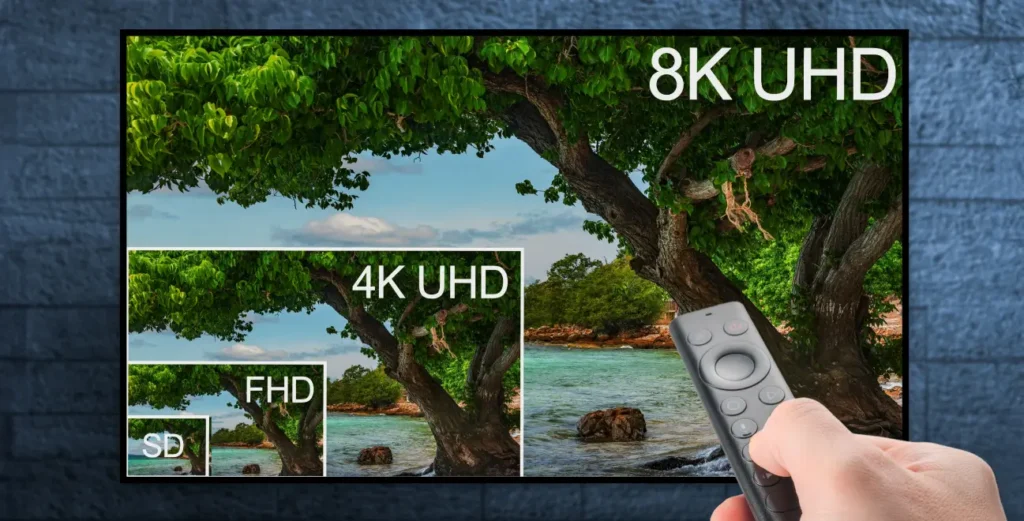
TV screen showing 4K and 8K streaming options on IPTV
Uncategorised

HD, UHD, and 4K Streaming: Quality Options in IPTV

For viewers seeking the best entertainment experience, streaming quality is crucial. DEIPTV offers a range of HD, UHD, and 4K streaming options, ensuring you enjoy crystal-clear visuals, smooth playback, and immersive sound. In this guide, we explore how to choose the right quality options, optimize your setup, and get the most out of IPTV. Table of Contents Understanding Quality Options in IPTV IPTV (Internet Protocol Television) delivers content over the internet, providing more flexibility than traditional cable or satellite TV. With DEIPTV, viewers can access HD (High Definition), UHD (Ultra High Definition), and 4K streaming, allowing a personalized and immersive viewing experience. These quality options are essential for: High-quality IPTV ensures uninterrupted playback, multi-device support, and legal, licensed content, creating peace of mind alongside entertainment. Factors to Consider When Choosing IPTV When selecting an IPTV service, consider: User Interface and Experience A well-designed UI/UX improves interaction with IPTV. DEIPTV provides: Good interface design enhances engagement and makes streaming enjoyable. Device Compatibility DEIPTV works across a wide range of devices: High-quality streaming is ensured regardless of device or screen size. Customer Support and Service Reliable customer support is essential. DEIPTV offers: This ensures smooth and uninterrupted viewing experiences. Pricing Structure Understanding pricing is crucial. DEIPTV provides: Fair pricing ensures access to top-quality content without overspending. Top IPTV Providers Choosing a quality IPTV provider impacts your viewing experience. DEIPTV stands out for: Tips to Optimize Your IPTV Experience Maximize your streaming enjoyment by: Following these steps ensures smooth playback and an immersive viewing experience. Conclusion Quality options in IPTV—HD, UHD, and 4K—are vital for an outstanding streaming experience. With DEIPTV, viewers get high-quality visuals, seamless multi-device compatibility, responsive support, and a wide range of content. By prioritizing quality, your IPTV setup becomes more enjoyable, reliable, and personalized. FAQ Q1: What are Quality Options in IPTV?These include content quality, device compatibility, interface usability, streaming reliability, customer support, and pricing transparency. Q2: How do I determine the quality of an IPTV service?Evaluate streaming reliability, content variety, UI/UX, device support, and provider reputation. Q3: Are there legal considerations when using IPTV services?Yes. Always use licensed services like DEIPTV to comply with copyright laws. Q4: How can I optimize my IPTV experience?Use a stable internet connection, update apps and firmware, adjust video settings, and explore features like DVR and catch-up TV. Q5: What should I do if I encounter technical issues?Contact DEIPTV customer support via live chat, email, or phone, and refer to online troubleshooting resources.

Step-by-step setup of IPTV on a MAG Box device
Uncategorised

How to Install DEIPTV Service on a MAG Box

Setting up DEIPTV on a MAG Box is one of the easiest ways to enjoy your favorite channels and Video on Demand (VOD) content. MAG devices are specially designed for IPTV, making them ideal for high-quality streaming. Follow this step-by-step guide to get started. Step 1: Connect Your MAG Box to TV and Internet Step 2: Locate Your MAG Box MAC Address Your MAG Box’s MAC address is needed to activate your DEIPTV subscription: Step 3: Register Your MAG Box with DEIPTV Step 4: Configure Your MAG Box Step 5: Restart Your MAG Box Step 6: Enjoy DEIPTV Troubleshooting Tips Setting up DEIPTV on a MAG Box gives you a smooth, reliable streaming experience and access to a wide range of channels and on-demand content.

Scroll to Top